Private photo vault for iPhone
Hidden, and still yours.
Anyone who knows your iPhone passcode can open the Hidden album. The passcode can’t open Stillmoat.


Sample concealed. Try the iPhone passcode, or open with your PIN.
Generated sample photo. Blur shows a choice, not encryption.
Free for up to 50 photos and videos. Then pay once, no subscription.
Why it exists
Never held hostage.
Some vault apps have lost people’s photos after an update, or locked them away until they paid. About 1 in 4 low-rated photo vault reviews say so (872 App Store reviews, Nov 2025 to Nov 2026). Stillmoat never holds yours back.
“I lost 10 years of data.”
- AddedBehind your own PIN.
- Backed upChecked after each copy.
- New iPhoneEvery photo and video accounted for.
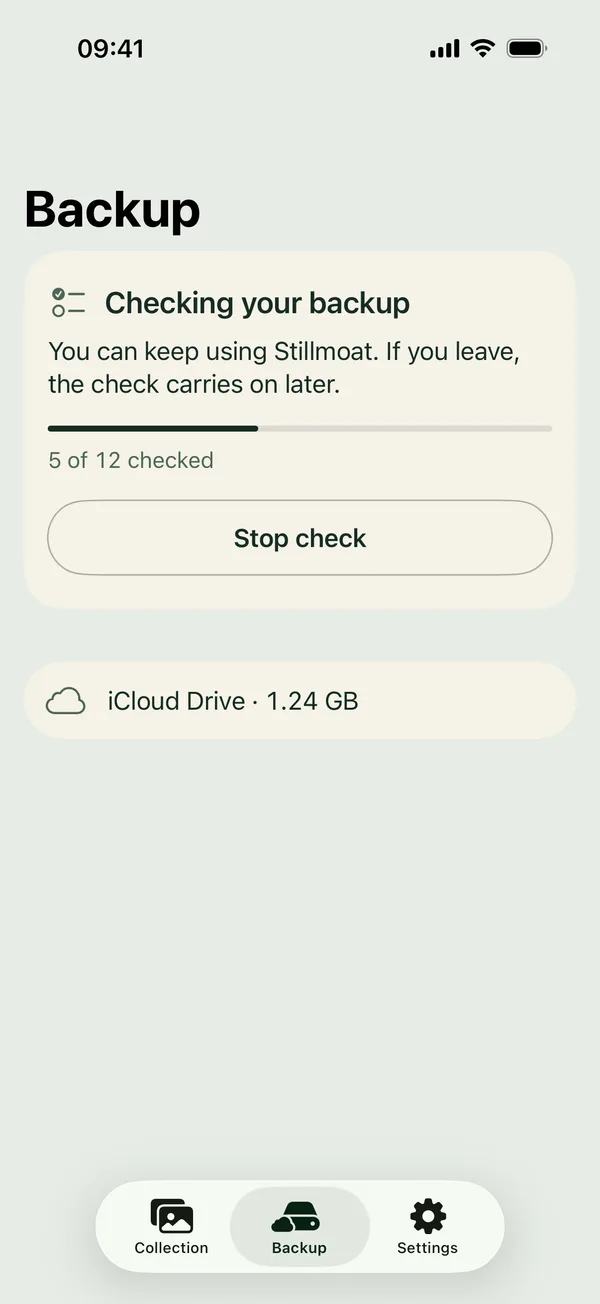
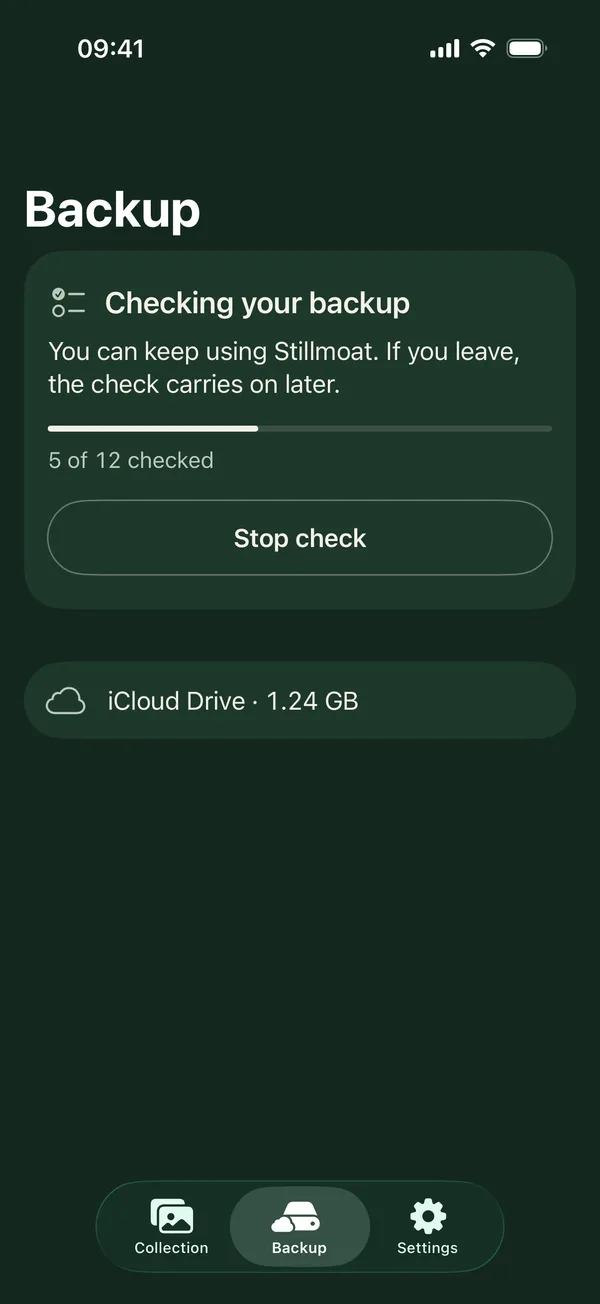
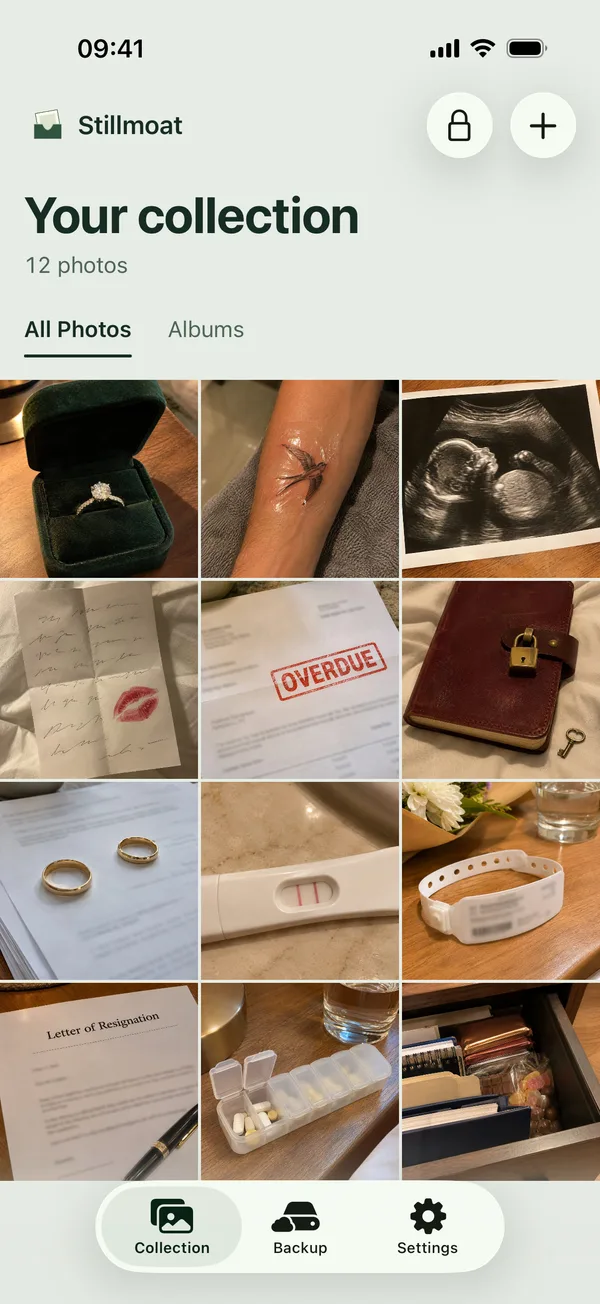
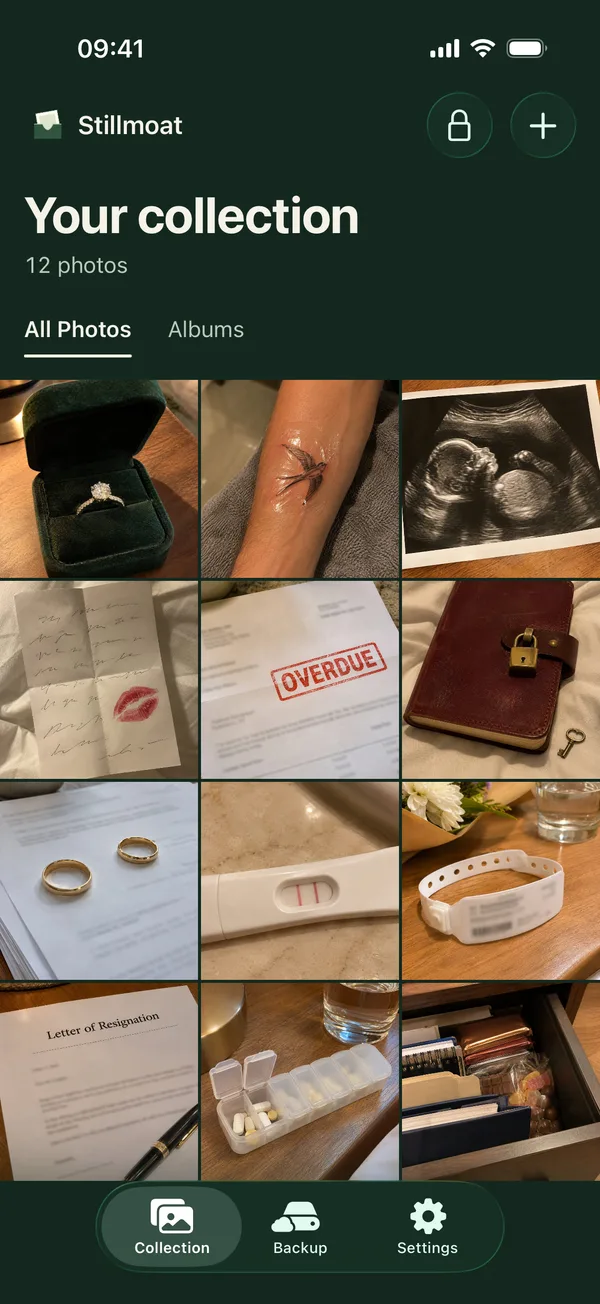
Your photos
Hand someone your phone without a second thought.
Kept apart from Photos, behind your own PIN.
Add photos and videos in a few taps. They’re encrypted, in original quality.
- Nothing to sign up for
- No account. No ads. No analytics in the app.
Compared
The Hidden album, and Stillmoat.
| Question | Hidden album in Photos | Stillmoat |
|---|---|---|
| Who can open it | Anyone who knows your iPhone passcode | Only your own PIN or Face ID, never the iPhone passcode |
| Backup | With iCloud Photos, if you use it | Encrypted copy you can check, in your iCloud Drive or Files |
Price
Start free. Pay once for more.
To start
Free
Up to 50 photos and videos, behind your own PIN.
When you want more
$29.99 once
Unlimited photos and videos. No subscription needed. No ads.
Planned US lifetime price
You never pay to see or export what you already added.
A few questions
Answers describe Stillmoat at launch.
How is this different from the Hidden album?
The Hidden album in Photos opens with Face ID, Touch ID or your iPhone passcode, so anyone who knows your passcode can open it (Apple Support guide, checked 5 Nov 2026). Stillmoat has its own PIN, and its Face ID never falls back to your iPhone passcode.
Do my photos stay in Photos too?
Only until you delete them there. Stillmoat can delete the originals for you once they’re added. Empty Recently Deleted in Photos too, and they’re only in Stillmoat.
Can I take my photos out again?
Yes. Export everything in original quality to Photos or Files, whenever you want.
What if I change phones?
Once your backup has finished, your backup and recovery key move your photos to a new iPhone. Stillmoat checks every photo and video arrived before it tells you the old phone can be erased.
What if I forget my PIN?
Enter your recovery key and set a new PIN. Your recovery key is your way back in, so keep it somewhere safe.
What keeps my photos safe?
An encrypted backup in your own iCloud Drive and a recovery key only you hold. Photos can still be lost if backup is off, if iCloud is full, or if you lose your recovery key and also lose or reset your iPhone, delete Stillmoat, or forget your PIN. Stillmoat warns you about the first two.
Is it free?
Keep up to 50 photos and videos free. One payment unlocks unlimited imports. You never pay to see or export what you already added.
Who makes it
I read hundreds of those reviews: years of photos gone after an update, or held back until someone paid. I’m building the vault I would trust with my own.
- Designed, security plan written
- First build to Apple
- Testing with a small group
- Planned launch
Leif Mork, maker of Stillmoat, building it in Thailand · Write to me